





Forza Horizon 6 Multiplayer Guide: Cross-Play, Cross-Save & Car Meets Explained
By the ArmadaBoost Forza team, who have played the Horizon series for years and handle Forza Horizon 6 boosting orders daily.
Forza Horizon 6 is the first Forza Horizon game with full cross-play and cross-save across Xbox Series X|S and PC (Steam and the Xbox app), and the PlayStation 5 version joins the same pool later in 2026. Cross-play means players on different platforms share the same multiplayer lobbies. Cross-save means one progress file follows you between those platforms, so your cars, credits, and Wristband level travel with you. Both features went live at the May 19, 2026 launch on Xbox and PC, which is the headline reason this entry feels different from every Horizon before it.
This guide explains how every online and co-op system works in Forza Horizon 6:
- Cross-play setup and cross-save (plus a save-sync bug you should know about)
- The three permanent Car Meet locations
- Drag Meets, Touge Battles and Horizon Play modes
- LINK Skills and co-op building at The Estate
- When PS5 players can finally join in
The facts here come from Playground Games' official Forza blogs and FAQ, with community sources cited where the detail comes from players rather than the studio. We have flagged anything Microsoft has not confirmed yet so you can tell verified features from open questions, and we update this guide as Playground Games confirms new details, so every claim reflects what is known as of June 18, 2026.
🌐 Does FH6 support cross-play, and which platforms can play together?
Yes. Forza Horizon 6 supports full cross-play across Xbox Series X|S and PC, where PC covers both the Xbox app and Steam (including SteamOS handhelds like the Steam Deck). Multiplayer is cross-platform across the board, from free roam to races to social events. The PlayStation 5 version joins the same cross-play pool when it releases later in 2026.
Cross-play is on by default for the shared open world, so the players you pass on the road in Japan are a live mix of Xbox and PC drivers. There is a crossplay toggle if you ever want to limit lobbies to your own platform (Pause menu, Campaign, Settings, HUD and Gameplay, Online Crossplay), but most players never need to touch it. You can invite friends directly through the in-game Friends list or by Xbox/Steam friend connections, then form a Convoy to explore together. A private Convoy holds up to 12 players. Community guides report that the wider shared free-roam session (Horizon Life) holds up to 72 players at once, which is why Tokyo's denser districts feel genuinely crowded with other people's builds.
One distinction matters before we go further, because most guides blur it. Cross-play and cross-save are different features. Cross-play is shared multiplayer lobbies. Cross-save is a transferable progress file. You can have one without the other in many games, but Forza Horizon 6 ships with both.
🔄 How do you set up and use cross-save in FH6?
Cross-save in Forza Horizon 6 syncs your progress automatically when you sign in with the same account on any supported platform. It is the first Forza Horizon game to do this. Your garage, credits, levels, unlocks, and achievements carry across Xbox Series X|S, the Xbox PC app, Steam, and PC handhelds, and they will extend to PlayStation 5 once that version arrives. The sync is continuous and two-way, not a one-time export.
In practice, setup is simple. Sign in with the same account on each device, and the game pulls your latest cloud save. A Game Pass player on Xbox who later buys the game on Steam keeps everything. A PC player who picks up a Series X keeps everything. Handheld players get the same deal, so you can run a session on a Steam Deck or ROG Ally on the go and resume on a TV later with the same save. This is the single most common multiplayer question we field from FH6 players preparing to switch platforms, and the answer is the same every time: same account in, same progress out.
A cross-save bug worth knowing about
Here is the honest caveat. In June 2026, players reported on Reddit and to Pure Xbox that they lost large amounts of progress and got locked out of saves after unexpected game or PC shutdowns, with one headline citing 255 lost hours. The cause appears to be a cloud save-sync glitch, and some players suspect Xbox's Quick Resume increases the risk. Forza Support has a support-channel path for affected players to report the save issue.
The most common mistake we see from players who switch platforms is closing the game from the console dashboard or with Alt+F4 before the cloud save finishes writing, which is the exact trigger behind most lost-progress reports. Until a patch fully closes this out, protect yourself with a simple habit.
- Let the game finish writing to the cloud before you close it.
- Watch for the save indicator to settle.
- Avoid hard-killing the app or letting the machine sleep mid-session.
- If you switch platforms a lot, quit to the main menu first and give the sync a few seconds.
It is a small routine that saves a painful re-grind.
👥 How do you play with friends in FH6?

To play with friends in Forza Horizon 6, open the in-game Friends list, invite the players you want, and form a Convoy that explores the open world together. Because cross-play is always on, your friends can be on Xbox, Steam, or the Xbox app, and you share one session with no platform setup to configure.
The flow takes about a minute:
- Add your friends through Xbox, Steam, or the in-game Friends list so they show as available.
- Open the pause menu, choose Convoy, and send invites, or accept an incoming Convoy invite.
- Once everyone loads in, you drive the same shared world together, up to 12 players in a private Convoy.
- From the Convoy, drop straight into Car Meets, Drag Meets, Touge Battles, Time Attack Circuits, or any Horizon Play mode without leaving the session.
There is no lobby to sit in and no loading wall between activities. A Convoy is the container for everything social in FH6, so most groups form one first and then decide what to race. If a friend drops, they rejoin the same Convoy from their Friends list, and cross-save keeps their car and credits intact wherever they reconnect.
Play With Your Crew Sooner 🎮
Skip the solo grind and roll into Convoys, Car Meets and co-op with a fully built garage. ArmadaBoost's FH6 boosting service handles credits, cars and Wristband progression so you and your friends are race-ready from day one.
🅿️ What are Car Meets in FH6, and where are the three locations?

Car Meets in Forza Horizon 6 are live social spaces built into the shared open world, where you join other players instantly with no loading screen to show off cars, download shared tunes and liveries, and buy stock versions of the cars you like from the Autoshow. There are three permanent Car Meet locations, plus temporary ones that rotate in through the Festival Playlist live program. Turning up with a standout garage helps you stand out at a meet, and a stack of Super Wheelspins fills one fast.
No competitor guide has covered the three permanent locations as a set, so here they are with their in-game roles:
Location | Region / setting | In-game role |
Horizon Festival Site | Heart of the map | Main-stage hub, easiest to reach early |
Okuibuki Parking Lot | Alpine region | Mountain meet, staging point for touge roads |
Daikoku | Tokyo City (real Daikoku PA, Kanagawa) | Showpiece, most cross-platform mixing |
Each location works the same way mechanically: drive in, drop into the meet, and you are standing beside your character and car next to everyone else's.
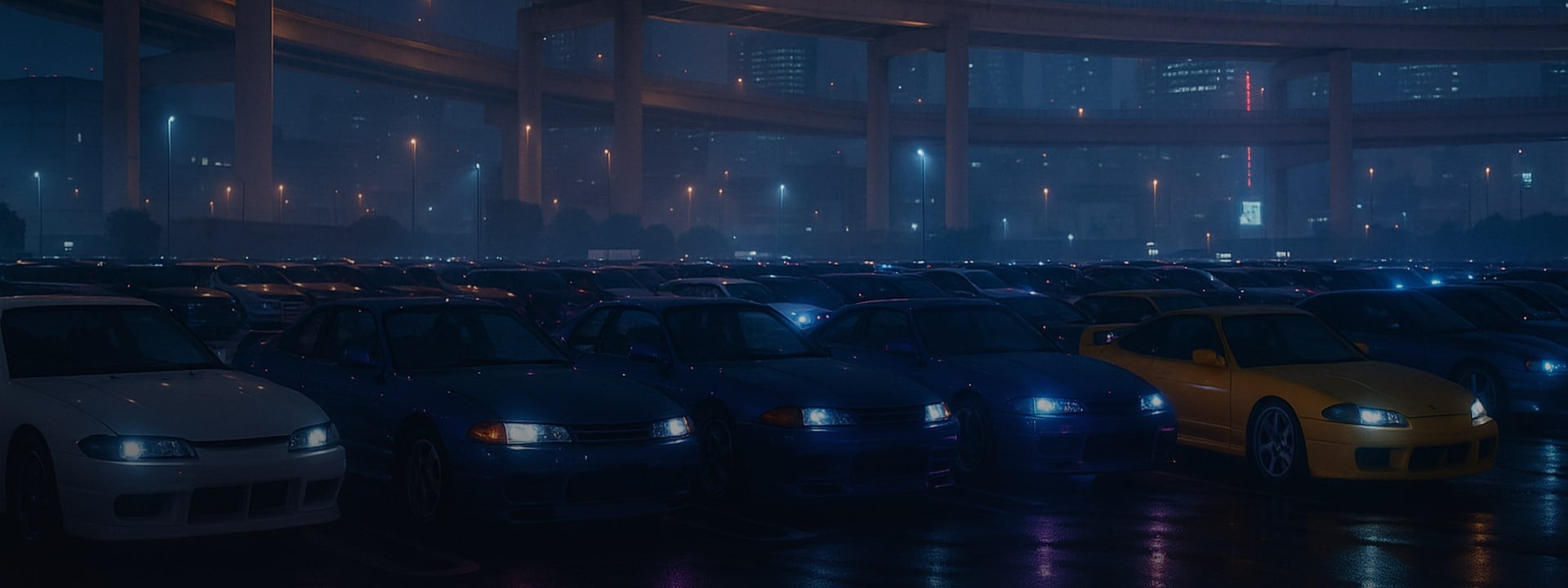
Daikoku earns its reputation in-game, not just as a cultural nod. Because Car Meets are part of the shared world, Daikoku is where cross-platform players are most visibly mixed together, an Xbox player's widebody Supra parked next to a PC player's Liberty Walk build. You can enter a first-person camera on a car-by-car basis to inspect each one up close, then Convoy up and roll out to a Drag Meet or a Touge Battle as a group. That loop, meet then convoy then race, is the social spine of FH6 multiplayer.
🏁 How do Drag Meets work in FH6?
Drag Meets are a shared-world feature where up to 12 players line up on a drag strip, "ready up" at the grid, and launch together on a synchronized tree light. Playground Games confirmed the tree lights are synchronized for every player in the lobby, answering a long-running community request. There is no matchmaking queue and no loading screen, so you start by simply driving to a strip.
At launch there are three Drag Strips, each a different distance and character.
Drag Strip | Distance | Character |
Festival Site 1K | 1 km | Home strip near the Horizon Festival |
Irokawa Space Center | Quarter mile | Classic sprint distance for tuned launches |
Airfield | Half mile | Rewards top-end speed and tall gearing |
Drag Meets feed both the new Convoy Leaderboards, which rank your group in real time, and weekly in-world Leaderboards that reset each series.
Tuning decides Drag Meets more than raw car choice. Launch control, gear stacking, and the right final drive separate a clean run from a bogged start. A mistake we see often is bringing a top-speed build to the Festival Site 1K, where the launch and first two gears decide the result long before top end ever matters. If you want the setup side in depth, see our FH6 car tuning guide for drag-specific gear ratios and launch settings.
⛰️ What are Touge Battles and Touge Showdown in FH6?
Touge Battles are one-on-one, night-time races down Japanese mountain passes, fought across five dedicated touge routes spread over the map. You can run them solo against the AI or take the matchups online. The online version, Touge Showdown, is a two-player head-to-head championship that sits inside Horizon Play, feeding Horizon Festival Points back into your campaign.
Touge is where rear-wheel-drive control and a tight drift-capable setup pay off, since the passes are narrow, technical, and punishing on understeer. The five routes each have their own class rules and rhythm, so the car that wins one pass is not always the car that wins the next. Touge cars are among the most-searched FH6 topics right now, which tells you how seriously the community takes these duels. For the cars that actually hold a line on the mountain, see our best cars in Forza Horizon 6 tier list and the dedicated drift and touge guide.
The five dedicated touge routes and their class caps:
Touge Route | Class Cap |
Hakone Nanamagari | B 600 |
Mt. Haruna | B 600 |
Bandai Azuma | A 700 |
Norikura Skyline | S1 800 |
Arashiyama Takao | S2 900 |
🎮 What is Horizon Play, and what online modes does it include?
Horizon Play is Forza Horizon 6's suite of competitive online modes, with its own levelling track and leaderboards. If you played FH5, this is the evolution of the old Horizon Open ranked playlist, rebuilt and rebranded for FH6. Searchers looking for "Horizon Open" in FH6 will find its modes living here under Horizon Play.
The headline modes:
- The Eliminator - open-world battle royale where the field shrinks until one driver is left.
- Hide and Seek - a chase mode where Hiders try to stay out of sight.
- Touge Showdown - the two-player head-to-head championship covered above.
- Spec Racing - everyone runs identical stock cars, so the result comes down to driving alone.
- Horizon Racing - free-for-all multiplayer racing.
- Horizon Drift - free-for-all drift scoring.
- Custom Racing - set the car class and event type for matchmaking.
- Custom Drifting - custom drift events with your own rules.
Horizon Play runs its own progression:
- Earn XP just by playing its modes.
- A new Badge every 10 ranks, up to Level 100, plus more for completing set numbers of each mode.
- Every level up to Level 25 grants Horizon Festival Points toward your next Wristband.
- Series Standing Leaderboards rank the top players per mode and reset each new Festival Playlist series.
Show Up Ready for Horizon Open 🏁
Running starter cars in online lobbies? ArmadaBoost's FH6 service delivers the credits and unlocks to line up in top-tier builds across Horizon Play and ranked, not bone-stock loaners.
🔗 What are LINK Skills, and how do co-op skill chains work?
LINK Skills are Forza Horizon 6's new co-op mechanic that rewards you for banking a skill at the same moment as another player nearby. Tandem drift with a friend, both land a jump together, or choreograph a 12-player barrel roll, and the game pays out a LINK bonus on top of your normal skill score. It is the most frictionless way to earn together, because it happens out in the open world with no mode to load.
Timing and distance are the whole game. Players report you need to be roughly 30 to 50 meters apart and bank your skills within about a split second of each other to trigger the LINK. Drifting side by side, near-misses past the same traffic, and matched ramp jumps all count. Because skill chains convert into car mastery and rarer rewards, a coordinated LINK partner is a real shortcut, especially now that Playground Games has rebalanced Super Wheelspins to drop less often. If grinding those skill chains and credits is the part you would rather skip, that is exactly what our Forza Horizon 6 services exist for.
🏠 What is The Estate, and how does co-op building work?
The Estate is a buildable property in Forza Horizon 6, set on a mountain valley plot you unlock by collecting Stamps in the Discover Japan system. Your in-game friend Mei introduces you to her grandparent's long-abandoned estate, and from there you build and decorate directly in the open world to create the home you want. Because the building happens in the live shared world rather than a separate menu, friends in your session can be right there as you work.
The Estate sits alongside the broader co-op campaign, which is a genuine first-class option in FH6, not an afterthought. You can play through Horizon Festival races and Discover Japan events together, rack up LINK Skills as you drive, and build custom races as a group in CoLab, the co-op successor to EventLab. There are also Time Attack Circuits scattered through the shared world, hot-lap challenges you start by driving through a gantry, with a Convoy Leaderboard so your group can chase each other's best laps. One Time Attack Circuit even sits on Legend Island, the endgame area you reach with the Gold Wristband.
Note one limit on the co-op detail. Playground Games describes The Estate as open-world building unlocked through Stamps, but has not published a dedicated "co-op Estate" mode with shared ownership. Treat group building at The Estate as something you do in a shared session rather than a confirmed joint-save feature until the studio says otherwise.
🖥️ Does FH6 have split-screen or local co-op?
No. Forza Horizon 6 does not support split-screen or local couch co-op, and no Forza Horizon game ever has. Rendering the open world twice on one machine has always been the blocker, and FH6 keeps that pattern. All multiplayer runs online instead.
That is worth stating plainly, because "FH6 split screen" and "2 player split screen" are common searches and the honest answer saves you the trouble of digging through menus. The trade is that the online side is deeper than any previous Horizon, from 12-player Drag Meets to the larger shared free-roam sessions. If you specifically want to play in the same room, two consoles or PCs on the same account-linked cross-save are the closest you will get, and cross-save means you can swap between them without losing a thing.
🗓️ When can PS5 players join FH6 cross-play?
PlayStation 5 players can join Forza Horizon 6 cross-play and cross-save when the PS5 version launches, which Microsoft has confirmed only as "later this year" in 2026. No specific date, price, or pre-order has been announced as of June 2026, so any month you see attached to it is a community estimate rather than an official date.
When the PS5 build does arrive, it links into the exact same cross-play pool as Xbox and PC and shares the same cross-save, so a PS5 player can pick up the progress they started elsewhere. Game Pass is the one thing that will not cross over, because Game Pass is an Xbox and PC benefit, so PS5 players buy the game directly. We cover the platform details, expected features, and account-prep steps in our FH6 PS5 guide, which owns the "when does PS5 join" question while this page owns how cross-play works.
FH6 Boosting Service 🚀
Want to hit Horizon Legend and unlock every co-op and Car Meet feature without the grind? ArmadaBoost's FH6 boosting service covers Wristband progression, credits and unlocks so you are ready to play with friends from day one. Fast delivery, rated 4.9 stars on Trustpilot across 4,500+ reviews.
ℹ️ FAQ: FH6 multiplayer and cross-play
Is Forza Horizon 6 cross-platform between Xbox and PC?
Yes. Xbox Series X|S and PC players (both Steam and the Xbox app) share full cross-play in every multiplayer activity, with no toggle to enable. PlayStation 5 joins the same cross-play pool when its version launches later in 2026.
Does FH6 have cross-save?
Yes, for the first time in the series. Sign in with the same account on Xbox, the Xbox PC app, Steam, or a supported handheld, and your garage, credits, and progress sync automatically. PS5 cross-save activates when that version releases.
How many players are in a Forza Horizon 6 Convoy?
A private Convoy holds up to 12 players. Drag Meets also support up to 12 players per strip. Community guides report the wider shared free-roam session holds up to 72 players at once.
Where is Daikoku in Forza Horizon 6?
Daikoku is one of three permanent Car Meet locations, set in Tokyo City and based on the real Daikoku Parking Area in Kanagawa, Japan. The other two permanent meets are the Horizon Festival Site and the Okuibuki Parking Lot in the alpine region.
Is Forza Horizon 6 split-screen?
No. FH6 has no split-screen or local couch co-op, in line with every previous Forza Horizon game. All multiplayer is online, including co-op campaign, Car Meets, Drag Meets, and Horizon Play modes.
Can you play the FH6 campaign in co-op?
Yes. The full campaign is playable solo or in co-op. You can run Horizon Festival races and Discover Japan events together, earn LINK Skills as you drive, and build custom races in CoLab.
What happened to Horizon Open in FH6?
The competitive online playlist now lives under Horizon Play, which includes The Eliminator, Hide and Seek, Touge Showdown, Spec Racing, plus free-for-all and custom racing and drifting. It carries its own levelling and leaderboards.
🚀 Ready to roll into Daikoku with a stacked garage?
Cross-save means your FH6 progress follows you everywhere, but it still has to be earned first, and Super Wheelspins drop rarer in FH6 than they did in FH5. If you would rather pull up to Daikoku with the cars and credits already sorted, our Forza Horizon 6 services come car-ready, handled by pro players. ArmadaBoost holds a 4.9-star Trustpilot rating across 4,500+ reviews, so your account stays in safe hands.
📚 Sources
- Playground Games, "How Forza Horizon 6 Creates a Festival of Car Culture," forza.net (Car Meets, Drag Meets, LINK Skills, Time Attack): https://forza.net/news/forza-horizon-6-car-culture
- Playground Games, "Meet the Three Pathways of Progression in Forza Horizon 6," forza.net (Horizon Play, The Estate, co-op): https://forza.net/news/forza-horizon-6-progression
- Forza Support, "Forza Horizon 6 FAQ" (cross-play, cross-save, platforms, editions): https://support.forza.net/hc/en-us/articles/48409181275539-Forza-Horizon-6-FAQ
- Pure Xbox, "Lost 255 Hours Of Progress - Forza Horizon 6 Players Warn Of Xbox & PC Saving Issue" (June 2026): https://www.purexbox.com/news/2026/06/lost-255-hours-of-progress-forza-horizon-6-players-warn-of-xbox-and-pc-saving-issue
- ResetEra, "Forza Horizon 6 will support cross-save and cross-play across Xbox, Steam, and PlayStation 5" (community reaction): https://www.resetera.com/threads/forza-horizon-6-will-support-cross-save-and-cross-play-across-xbox-steam-and-playstation-5.1425820/
- racinggames.gg, "Forza Horizon 6 Crossplay and Cross-save: Everything We Know": https://racinggames.gg/article/forza-horizon-6-crossplay-and-cross-save-everything-we-know
- allthings.how, "Forza Horizon 6 Touge Battles: All 5 Locations and Class Rules": https://allthings.how/forza-horizon-6-touge-battles-all-5-locations-and-class-rules/
 Success

 Data
updated
Data
updated