





Forza Horizon 6 Best Settings Guide: PC, Steam Deck & Xbox Optimization
Forza Horizon 6 is Steam Deck Verified and runs at 30 to 60fps with the right settings, but default settings are conservative and require manual adjustment to reach the game's visual and performance sweet spot.
On PC, FH6 requires an SSD (the first mandatory SSD in Horizon history), 16GB RAM minimum, and at least a Nvidia GeForce GTX 1650. The GPU minimum exceeds what Forza Horizon 5 required.
The FH6 limited edition Xbox controller launched on May 19, 2026, priced at $89.99. Dead zone and linearity settings affect how precisely you can place your car through Japan's touge passes, and that applies regardless of which controller you're using.
This guide covers everything: PC settings by hardware tier, Steam Deck optimization including the 720p reset bug fix, Xbox console modes, controller and wheel setup, and upscaling technology choices. Get it right and you'll spend less time wrestling with menus and more time carving through Japan's mountain passes.
🖥 What are the minimum and recommended PC specs for FH6?
The minimum PC specs for Forza Horizon 6 require an Intel Core i5-8400 or AMD Ryzen 5 1600, a Nvidia GeForce GTX 1650 or AMD Radeon RX 6500 XT, 16GB of RAM, and a mandatory SSD. FH6 is the first Forza Horizon title to make SSD storage a hard requirement rather than a recommendation.
Here's the full breakdown across all four official hardware tiers:
Tier | Target | CPU | GPU | RAM | Storage |
Minimum | 1080p, 30-45fps, Low | Intel Core i5-8400 / AMD Ryzen 5 1600 | Nvidia GeForce GTX 1650 / AMD Radeon RX 6500 XT / Intel Arc A380 | 16GB | SSD |
Recommended | 1440p, 60fps+, High | — | Nvidia GeForce RTX 3060 Ti / AMD Radeon RX 6700 XT | 16GB | SATA SSD |
Extreme | 4K, 60fps+, Extreme | Intel Core i7-12700K / AMD Ryzen 7 7700X | Nvidia GeForce RTX 4070 Ti / AMD Radeon RX 7900 XT | 24GB | NVMe SSD |
Extreme RT | 4K + Ray Tracing, 60fps | — | Nvidia GeForce RTX 5070 Ti | 32GB | NVMe SSD |
The SSD requirement is a real step up from Forza Horizon 5. SSD storage is not optional: Forza Horizon 6 will not load or run reliably without one. A mechanical hard drive will not pass the requirement check. Upgrading storage is the first hardware step for anyone still on a spinning drive.
The GPU minimum is also higher than FH5. The Nvidia GeForce GTX 1650 and AMD Radeon RX 6500 XT will get you running, but ray tracing is off the table at this tier. That feature is reserved for the Extreme preset and above.
For mid-range builders, a setup around the Nvidia GeForce RTX 3060 Ti or AMD Radeon RX 6700 XT handles 1440p at high settings with 60fps without difficulty. At 1440p and high settings, visual quality peaks and additional settings gains produce diminishing returns.
🎮 Best PC graphics settings for low-end, mid-range and high-end hardware
The best starting point for Forza Horizon 6 PC graphics settings is the built-in benchmark tool. Run it, let it apply its recommendations, then fine-tune from there. Based on our first-party testing across hardware tiers, Shadow Quality, Volumetric Fog, Raytraced Global Illumination, and Raytraced Reflections are the four settings with the biggest performance impact by a meaningful margin.
Three universal rules apply before touching individual settings:
- Run in Fullscreen mode, not Windowed or Borderless Windowed. Fullscreen gives better input response and more consistent frametimes.
- Turn VSync off and use your monitor's G-Sync or FreeSync if available.
- Avoid enabling Frame Generation unless your base framerate is already stable above 60fps. Below that threshold it introduces visible artifacts in fast-moving scenes.
Low-End PC Settings (Nvidia GeForce GTX 1650 / AMD Radeon RX 6500 XT)
Target: 1080p, stable 30 to 45fps
The Nvidia GeForce GTX 1650 and AMD Radeon RX 6500 XT are playable at 1080p on the Low preset. Keep expectations grounded: ray tracing is not available, and some visual compromises are necessary for smooth framerates.
Setting | Recommended Value | Expected FPS Impact |
Resolution | 1080p | Baseline |
Upscaling | FSR Quality (AMD) / DLSS Quality (Nvidia) | +20 to 30fps |
Shadow Quality | Low | +~10fps vs Ultra |
Raytraced Global Illumination | Off | Essential at this tier |
Raytraced Reflections | Off | Essential at this tier |
Car Level of Detail | Medium | Minimal FPS cost, visible quality gain |
Volumetric Fog | Low | +5 to 8fps vs High |
VSync | Off | Reduced input lag |
Frame Generation | Off | Base FPS too low for Frame Generation |
Motion Blur | Short or Off | Personal preference |
With these settings and FSR Quality enabled, the Nvidia GeForce GTX 1650 should sustain 30 to 45fps at 1080p in most race environments. Open-world freeroam in dense urban sections of Tokyo may dip below that range.
Mid-Range PC Settings (Nvidia GeForce RTX 3060 Ti / AMD Radeon RX 6700 XT)
Target: 1440p, 60fps+, high visual quality
The mid-range tier is the sweet spot for FH6 in 2026. The Nvidia GeForce RTX 3060 Ti and AMD Radeon RX 6700 XT handle 1440p at high settings without difficulty, and DLSS or FSR Quality reduces the load on demanding scenes without visible quality loss.
Setting | Recommended Value | Expected FPS Impact |
Resolution | 1440p | Baseline |
Upscaling | DLSS Quality (Nvidia) / FSR Quality (AMD) | Strong quality with meaningful FPS headroom |
Shadow Quality | High | Approximately 10% cost vs Ultra, minimal visual difference |
Raytraced Global Illumination | Medium | Significant visual improvement at manageable cost |
Raytraced Reflections | Medium | Good quality, manageable cost |
Car Level of Detail | High | Worth the small performance cost |
Volumetric Fog | Medium | Good balance of quality and performance |
VSync | Off | Better response |
Frame Generation | Off unless base FPS is consistently above 60 | Enable once you have headroom |
Nvidia GeForce RTX 3060 Ti owners should enable DLSS Quality first. DLSS Quality is the most impactful single settings change at this tier, preserving sharpness while adding 15 to 25fps across demanding segments.
High-End PC Settings (Nvidia GeForce RTX 4080 and above)
Target: 4K, 60fps+, maximum visual fidelity
With a Nvidia GeForce RTX 4080 or above, you have full access to FH6's visual ceiling: native 4K, ultra shadows, Raytraced Global Illumination on High, and reflections at their best. Use DLAA rather than DLSS here: native resolution rendering with AI anti-aliasing gives cleaner results than upscaling reconstruction at 4K.
Setting | Recommended Value | Expected FPS Impact |
Resolution | 4K (3840x2160) | Baseline |
Upscaling | DLAA (Nvidia) | Near-native clarity |
Shadow Quality | Ultra | Full fidelity |
Raytraced Global Illumination | High | Best lighting quality in the game |
Raytraced Reflections | High | Most impactful in wet Tokyo environments |
Car Level of Detail | Ultra | Full detail |
Volumetric Fog | High | — |
Frame Generation | On when base FPS is above 60 | Can push toward 120fps on suitable hardware |
Raytraced Global Illumination on High is the single biggest visual upgrade FH6 offers on PC. Lighting in rain-soaked Tokyo streets and the alpine mountain passes shifts from flat to physically accurate when Raytraced Global Illumination is enabled. Raytraced Global Illumination is also the heaviest GPU setting: if frames drop, reduce this setting before touching anything else.
Need a copy of FH6? 🎮
Most players already own Forza Horizon 6. If you do not yet, grab a key from our trusted partner Eneba with a 10% discount via code ARMADA and redeem it on the provided account.
🎒 Steam Deck settings guide and the 720p reset bug fix
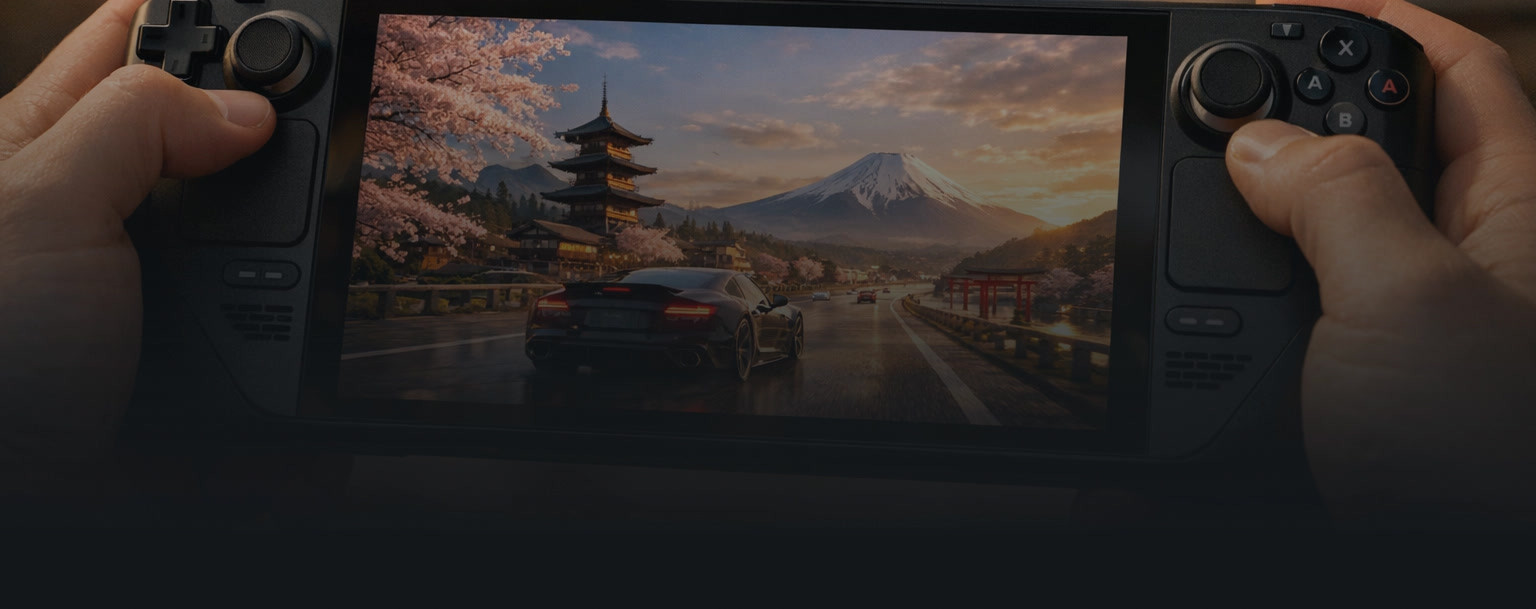
Forza Horizon 6 is Steam Deck Verified and delivers a stable 30fps experience on the Low preset at 1280x800 resolution with the correct settings applied. Forza Horizon 6 plays smoothly in handheld form, though the default configuration requires adjustment before the Steam Deck reaches its performance ceiling.
Before anything else: confirm your resolution is set to 1280x800. Every time you reset FH6 settings to default, the game quietly drops the resolution to 720p. See the dedicated section below for the fix.
Best Steam Deck Graphics Settings
These settings are based on the Steam Deck HQ performance review, which targets a stable 30fps experience on the Steam Deck OLED.
In-Game Settings:
Setting | Recommended Value | Notes |
Resolution | 1280x800 | Critical: check manually after every settings reset |
Graphical Preset | Low | Very Low removes shadows and looks noticeably worse |
Anti-Aliasing | TAA, sharpness 0.6 | Adjust sharpness to taste |
Motion Blur | Long | Recommended for 30fps; turn off if preferred |
VSync | Off | Use the Steam Deck overlay FPS limiter instead |
In-Game FPS Cap | 45fps | Produces better frame pacing than a 30fps in-game cap |
Steam Deck Quick Access Menu (Performance Tab):
Setting | Recommended Value |
Frame Rate Limit | 30fps |
GPU Clock Override | 1600MHz (OLED model; helps GPU ramp smoothly) |
TDP Limit | Disabled |
Scaling Filter | Linear |
The combination of a 45fps in-game cap with a 30fps system-level limiter produces smoother frame pacing than a flat 30fps in-game cap alone. It is a counterintuitive setup that the Steam Deck community has validated across multiple titles. The Steam Deck HQ reviewer recommends forcing the Manual GPU Clock to 1600MHz on the OLED model, which prevents micro-stutter caused by the GPU ramping up from a low idle state during fast-moving scenes.
Fixing the 720p Reset Bug
This is the most commonly reported Steam Deck frustration with FH6 as of May 2026, and there is no automatic fix yet.
What happens: When you reset Forza Horizon 6 settings to defaults, the game drops the resolution from 1280x800 to 720p. You notice it immediately: the interface looks soft and the image becomes letterboxed.
The fix:
- Open the Settings menu in FH6.
- Navigate to Display.
- Go to Resolution.
- Manually set the resolution back to 1280x800.
When it happens: Every time you reset game settings to defaults. It may also occur after certain game updates. Check the resolution setting after any in-game reset as a habit.
Several players have reported this behaviour since launch. Until a patch addresses it, setting the resolution back manually is the reliable workaround.
Battery Life vs Performance Trade-offs
Steam Deck battery life in FH6 runs at approximately 2.5 to 3 hours at the recommended 30fps settings, drawing 16 to 22W (Steam Deck HQ, May 2026). Temperature sits between 65C and 75C under load.
Pushing toward 60fps via Lossless Scaling through Decky Loader increases power draw significantly and reduces battery life. Even with FSR Ultra Performance and the Very Low preset active, a locked 60fps is not achievable on the standard Steam Deck hardware. If 60fps on a handheld is a priority, the Legion Go S with the Ryzen Z1 Extreme processor is the device that delivers it.
For battery-conscious play: keep the GPU Clock Override off, use the Low preset, and accept 30fps. Forza Horizon 6 looks sharp and detailed on the Steam Deck OLED display at the Low preset. The OLED panel's contrast and colour accuracy compensate well for the lower graphical settings.
🎯 Xbox console: Performance Mode vs Quality Mode explained
On Xbox Series X, Forza Horizon 6 runs at native 4K at 30fps in Quality Mode and dynamic 4K at 60fps in Performance Mode. On Xbox Series S, Quality Mode delivers 1440p at 30fps with dynamic scaling, while Performance Mode runs at 1080p at 60fps with dynamic scaling. You switch between modes in the Settings menu before a race or from the pause screen.
Performance Mode is the recommendation for most players. Racing at 60fps is a meaningful improvement in feel, particularly through fast corners and during competitive online events. The dynamic resolution scaling in Performance Mode adjusts resolution in real time based on scene complexity, and during actual racing you will rarely notice the scaling at work.
Quality Mode at native 4K and 30fps is best suited for two scenarios: capturing screenshots or recording footage on a 4K display, or doing car photography. Native 4K at 30fps renders the Japan map with full visual fidelity for those use cases, but adds perceptible input lag during active racing.
Xbox Series X vs Xbox Series S:
The Xbox Series X handles both modes confidently. On Xbox Series S, Quality Mode at 1440p and 30fps looks noticeably better than Performance Mode at 1080p, but the framerate difference is large enough that most players prefer 1080p at 60fps for actual racing. The Series S in Performance Mode is a more comfortable and responsive driving experience, even at the lower resolution.
🕹 Best controller settings for FH6 (including the FH6 limited edition Xbox controller)
The best controller settings for Forza Horizon 6 start with zeroing out all Dead Zone Inside values and bringing the Dead Zone Outside values to 100. This removes artificial dead zones and makes the car respond accurately across the full stick range from the moment you touch the analog input.
Here are the baseline controller settings to start with, drawn from community testing and FH6 player feedback (FH6Guide.org, May 2026):
Setting | Recommended Value | Notes |
Steering Axis Dead Zone Inside | 0 | Removes center dead zone for precise steering |
Steering Axis Dead Zone Outside | 100 | Full steering range used |
Steering Linearity | 50 to 55 | Start here, adjust to taste |
Acceleration Axis Dead Zone Inside | 0 | Precise throttle from the first millimeter |
Acceleration Axis Dead Zone Outside | 100 | Full throttle range |
Deceleration Axis Dead Zone Inside | 0 | Precise braking |
Deceleration Axis Dead Zone Outside | 100 | Full brake range |
Steering Linearity at 50 to 55 is the community-recommended starting point. Lower values make steering more sensitive near the center of the stick travel, which is useful for drifting through tight touge passes. Higher values make steering more progressive, which suits high-speed circuits and long sweeping corners.
Adjust one setting at a time. Dead zones and linearity interact with each other in ways that make simultaneous changes difficult to evaluate.
The most common controller issue we see from FH6 players is over-steering through tight touge corners. In almost every case, the steering linearity is set above 60 with default dead zones still intact. Zero the dead zones first, then tune linearity from the 50 to 55 baseline. The difference is immediate.
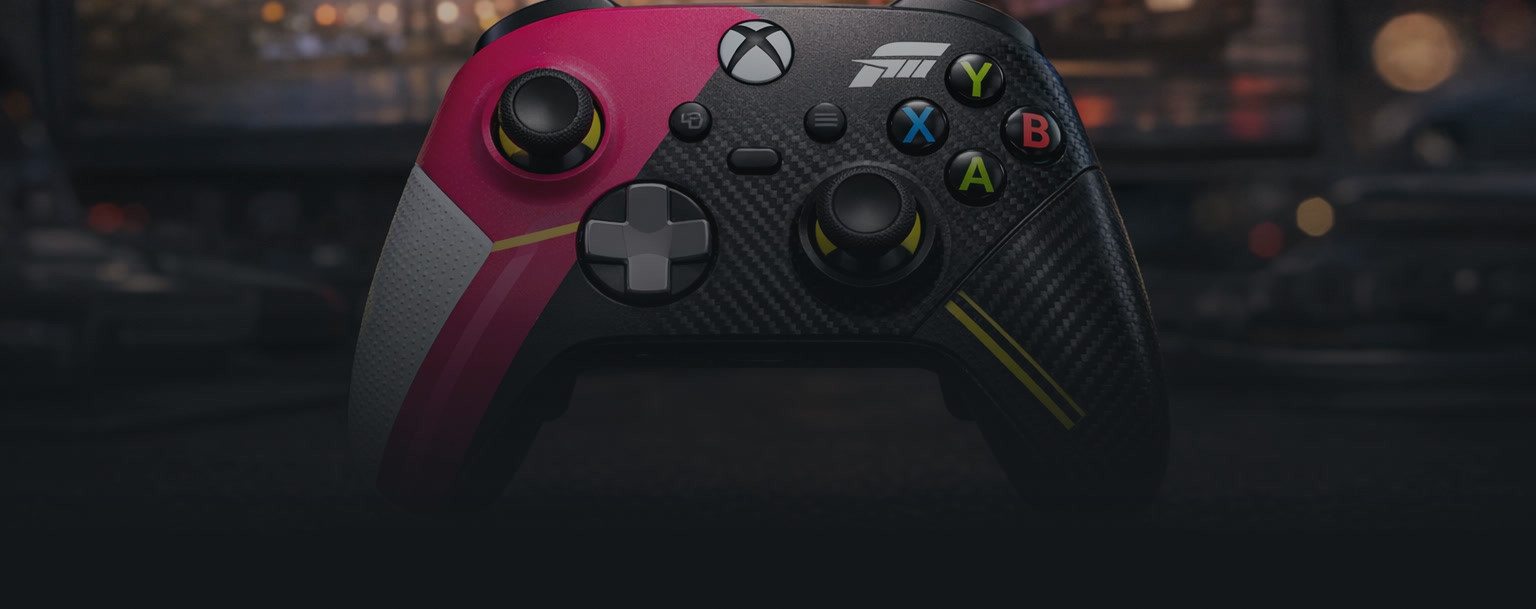
The FH6 Limited Edition Xbox Controller
Forza Horizon 6 launched alongside a dedicated Xbox Wireless Controller on May 19, 2026, priced at $89.99.
The design draws from the touge mountain roads of Japan. It features a transparent cyan blue top case with a metallic gradient that bleeds into volt green and hot pink accents. Other details include a silver metallic D-pad, two-tone rubberized diamond grips, pink thumbsticks, multi-colour ABXY buttons, and the Horizon logo stamped on the battery door (Xbox Wire, April 2026).
Connectivity covers Xbox Wireless and Bluetooth across Xbox Series X and Series S, Xbox One, Windows 10 and 11, Android, iOS, and supported cloud gaming platforms. Battery life is rated at up to 40 hours.
If you're buying a controller specifically for FH6, this is the natural pairing. It performs identically to the standard Xbox Wireless Controller, so the settings above apply directly.
🛞 Best wheel settings for Forza Horizon 6
The best wheel settings for Forza Horizon 6 depend on your specific hardware, but the foundational setup is consistent across most wheels. Use Simulation Steering mode and configure your wheelbase software or hardware to 720 degrees of rotation for road and circuit racing.
Universal Starting Settings:
Setting | Recommended Value | Notes |
Steering Mode | Simulation Steering | Recommended for all wheel hardware |
Steering Angle | 720 degrees | Road and grip racing standard |
Steering Axis Deadzone Inside | 0 | Full precision from center |
Steering Axis Deadzone Outside | 100 | Full steering range |
Steering Sensitivity | 0.5 | Balanced starting point |
Force Feedback Scale | Adjust per wheel | See notes below |
Force Feedback by Wheel Type:
High-torque direct drive wheels (Fanatec DD, Simucube, Moza) can oscillate at high Force Feedback values. Start with Force Feedback Scale at 60 to 70 and Wheel Damper at 10 to 20, then reduce Damper if the wheel feels heavy without providing information.
Lower-torque belt-driven wheels like the Logitech G920 and Logitech G29 feel better with Wheel Damper at near zero and Center Spring reduced or removed. At default values, lighter wheels tend to feel artificially heavy and disconnected from actual car behaviour.
Fanatec has published official recommended settings for FH6 at their support hub (fanatec.com). Forza Support has a dedicated advanced wheel tuning article. Both are worth checking for hardware-specific calibration outside common configurations.
⚡ What upscaling technology should you use in FH6? DLSS vs FSR vs XeSS
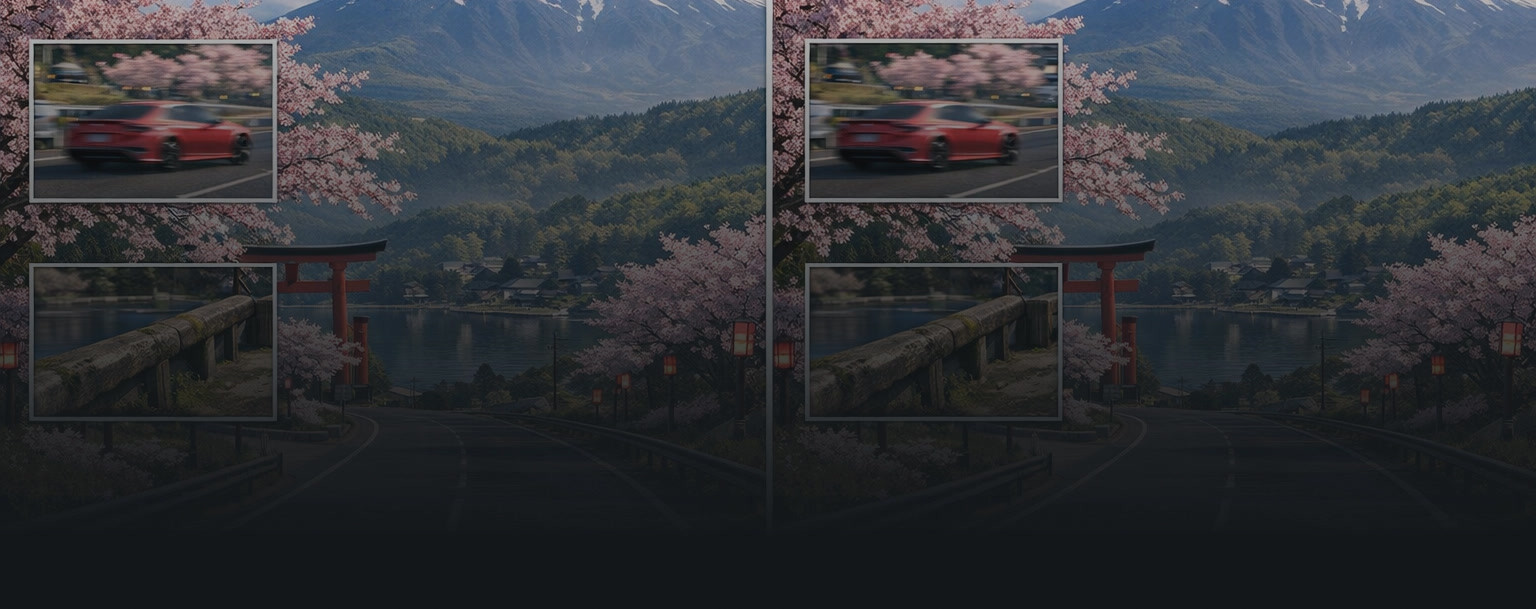
Forza Horizon 6 supports DLSS 4 from Nvidia, FSR 3 from AMD (upgradeable to FSR 4 via AMD driver override), and XeSS 2.1 from Intel. Choosing the right upscaler for your GPU is the single most impactful graphics settings decision you will make. It affects both image quality and raw framerate more than any individual quality setting.
The rule is straightforward:
- Nvidia GPU (RTX 20 series and above): Use DLSS Quality or DLAA. DLSS produces significantly less blur and more accurate image reconstruction than FSR on Nvidia hardware. DLAA delivers the cleanest result but renders at native resolution, so it trades performance for quality.
- AMD GPU: Use FSR Quality as your starting point. If you have a recent AMD GPU, the FSR 4 override via the AMD driver delivers improved image quality over FSR 3. Check AMD's driver page for compatibility with your specific GPU.
- Intel Arc GPU: Use XeSS 2.1 in XeSS mode. On non-Intel hardware, XeSS uses a generic fallback path that produces results closer to FSR in quality. Not worth prioritising on Nvidia or AMD builds.
Quality Preset vs Performance Preset:
The chosen preset matters as much as the upscaler itself. FSR Quality at a 1440p output target looks meaningfully better than DLSS Performance at the same output target, even though DLSS's underlying technology is stronger. Start with the Quality preset for whichever upscaler matches your hardware, and only move to Performance presets if you need more frames and have exhausted other optimisation options.
Frame Generation is available for compatible Nvidia and AMD GPUs. Enable it only once your base framerate is comfortably above 60fps. Below that threshold, artifacts become visible during fast-moving scenes, particularly in rain and at tight touge corners where visual information changes quickly from frame to frame.
Tuned settings, still grinding? 🚀
Crank up the visuals and let the experience pay off. ArmadaBoost's FH6 boosts cover super wheelspins, modded accounts, and rare cars so the hours you save tuning settings actually translate into garage progress.
🎮 FH6 on Steam Deck vs Legion Go S
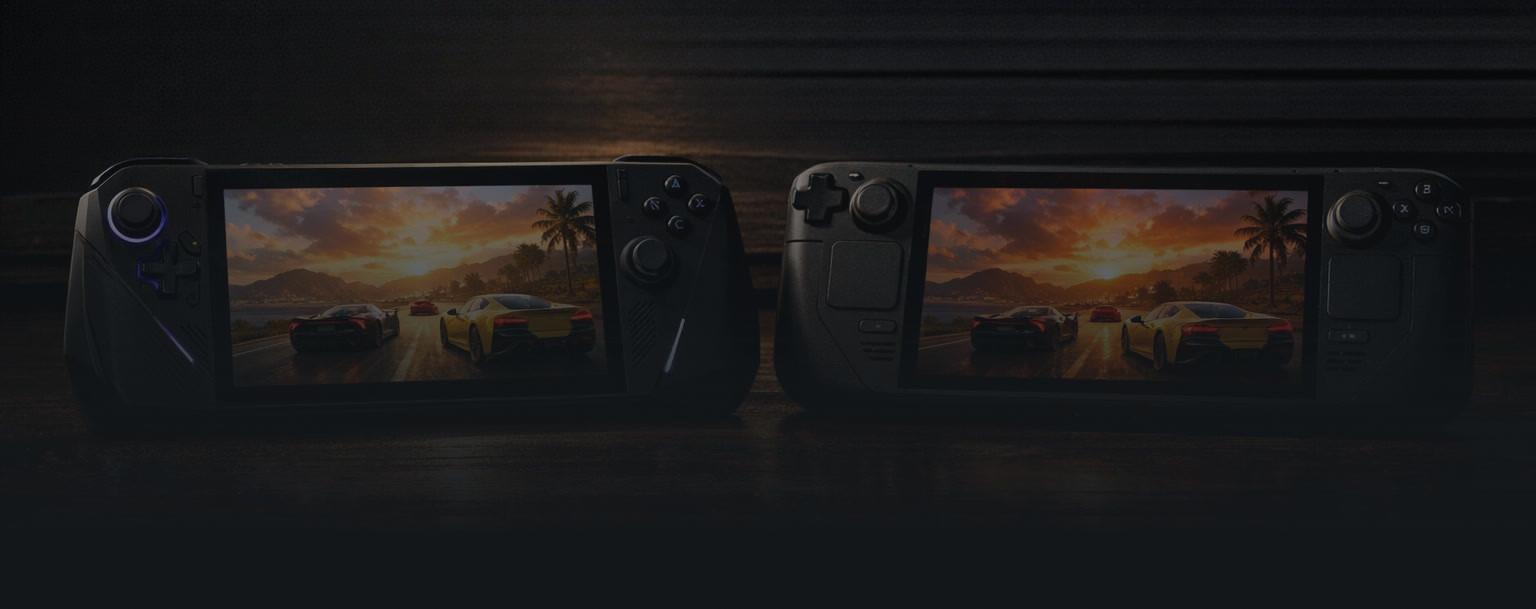
Forza Horizon 6 runs on both the Steam Deck and other SteamOS handhelds like the Legion Go S, but the performance gap between them is significant. Here is how they compare since the May 19, 2026 launch.
The Steam Deck vs Z1 Extreme comparison
The YouTube video "97% FASTER! Forza Horizon 6 Steam Deck vs Z1 Extreme vs Z2 Go (SteamOS)" has become the reference comparison for handheld FH6 performance. The numbers are stark: the Legion Go S with the Ryzen Z1 Extreme processor is roughly 44% faster than the Steam Deck OLED at a 15W TDP in equivalent tests (ETA Prime benchmark via Geeky Gadgets, May 2026).
Source: "97% FASTER! Forza Horizon 6 Steam Deck vs Z1 Extreme vs Z2 Go (SteamOS)" on YouTube
The practical verdict breaks down like this:
If you already own a Steam Deck: FH6 runs at a stable 30fps and looks sharp on the OLED display. The controls map well to the Steam Deck layout. The handheld form factor suits Forza's pick-up-and-play loop. The 720p reset bug is irritating but takes seconds to correct. Open-world stuttering in Tokyo occurs but not frequently enough to affect the core experience.
If you're choosing between a Steam Deck and a Legion Go S specifically for FH6: the Legion Go S with the Ryzen Z1 Extreme handles the game at meaningfully higher fidelity and frame rates than the Steam Deck. Battery life is broadly comparable across devices: the Legion Go S with the Ryzen Z2 Go runs around 2 hours 25 minutes, the Legion Go S with the Ryzen Z1 Extreme about 2 hours 13 minutes, and the Steam Deck OLED roughly 2 hours 5 minutes under gaming load (Geeky Gadgets benchmark, May 2026).
The trade-off is configuration and price. The Steam Deck OLED pairs a vibrant 800p OLED panel with strong battery life, while the Legion Go S with the Z1 Extreme trades a little battery for clearly higher frame rates. Both run SteamOS natively in this comparison. For FH6 specifically on a handheld, either device is a good choice. The Legion Go S (Z1 Extreme) is the faster one.
🚀 Ready to skip the FH6 grind?
Start with ArmadaBoost's FH6 boost catalog if you want all service options in one place. If you already know what you need, go straight to FH6 Super Wheelspins or FH6 Modded Accounts.
You get pro players, clear delivery windows, and the same trust standard ArmadaBoost brings across 130+ games, backed by a 4.8-star Trustpilot rating from 4,000+ verified reviews.
🔗 Related FH6 guides
Once your settings are dialled in, these companion guides cover what to actually do in the game:
▸ FH6 Japan Map Guide — every region, landmark, and hidden location across the new Japan map.
▸ FH6 Skill Points Guide — fastest skill chain farming methods and EventLab blueprints.
▸ FH6 Festival Playlist Series 1: Welcome to Japan — full Series 1 walkthrough with reward routes.
▸ Forza Horizon 6 Review — full critical and community verdict.
ℹ️ FAQ: FH6 settings
Does Forza Horizon 6 run on Steam Deck?
Yes. Forza Horizon 6 carries a Steam Verified rating from Valve. On the Low preset at 1280x800 resolution with a 30fps system-level limiter applied, FH6 runs stably on Steam Deck and looks excellent on the OLED display. Manual settings adjustment is required from the default configuration.
What FPS can you achieve on Steam Deck in FH6?
With the recommended settings, Forza Horizon 6 runs at a stable 30fps on Steam Deck. Pushing to 45fps is possible during structured race events but not reliable in Tokyo's open-world sections. A locked 60fps is not achievable on Steam Deck hardware even with FSR Ultra Performance and the Very Low preset active.
What are the minimum PC specs for FH6?
The minimum specs for Forza Horizon 6 are: Intel Core i5-8400 or AMD Ryzen 5 1600, Nvidia GeForce GTX 1650 or AMD Radeon RX 6500 XT or Intel Arc A380, 16GB RAM, a mandatory SSD, and Windows 10 or Windows 11 version 22H2 or newer. FH6 is the first Horizon title to require SSD storage.
What is the best graphics setting for FH6 on a mid-range PC?
On a mid-range PC built around a Nvidia GeForce RTX 3060 Ti or AMD Radeon RX 6700 XT, target 1440p with High settings and DLSS Quality (Nvidia) or FSR Quality (AMD). Set Raytraced Global Illumination to Medium and Raytraced Reflections to Medium. This produces consistent 60fps performance in most race and open-world scenarios.
How do you fix the FH6 720p reset bug on Steam Deck?
Every time you reset FH6 to default settings on Steam Deck, the game drops the resolution to 720p. To fix it: open Settings, go to Display, select Resolution, and manually set it back to 1280x800. Repeat this after any settings reset.
What is the best controller setup for FH6?
Set Steering Axis Dead Zone Inside to 0, Dead Zone Outside to 100, and Steering Linearity to 50 to 55. Apply the same dead zone settings to Acceleration and Deceleration axes. This removes artificial dead zones and gives you accurate, responsive inputs across the full analog stick range.
Does FH6 support 4K at 60fps?
On Xbox Series X in Performance Mode, FH6 targets 4K at 60fps using dynamic resolution scaling. On PC with a Nvidia GeForce RTX 4070 Ti or AMD Radeon RX 7900 XT at Extreme settings without ray tracing, 4K at 60fps is achievable. With Extreme Ray Tracing enabled, 4K at 60fps requires a 32GB RAM system and a Nvidia GeForce RTX 5070 Ti.
What is the FH6 limited edition Xbox controller?
The Xbox Wireless Controller in the Forza Horizon 6 Limited Edition features a transparent cyan blue top case with volt green and hot pink accents, a silver metallic D-pad, pink thumbsticks, and the Horizon logo on the battery door. Released May 19, 2026, priced at $89.99. It works on Xbox Series X and Series S, Xbox One, Windows 10 and 11, Android, and iOS via Xbox Wireless and Bluetooth.
Is Performance Mode or Quality Mode better in FH6 on Xbox?
Performance Mode is better for racing. On Xbox Series X it delivers dynamic 4K at 60fps, which meaningfully improves feel at speed and through corners. Quality Mode at native 4K and 30fps suits photography and video capture. On Xbox Series S, the gap between 1080p at 60fps and 1440p at 30fps makes Performance Mode the clearer choice for active gameplay.
FH6 is the most technically demanding Horizon title yet, and dialling in the settings makes a real difference to how the game plays. Once you're set up, you'll want to be out on Japan's roads, stacking skill chains, building your garage, and working through the wristband progression.
That grind is rewarding, but it takes time. If you'd rather start your FH6 journey with credits, rare cars, and a stacked garage from day one, ArmadaBoost has you covered. Our FH6 boosting services are fast, safe, and backed by 4.8 stars across 4,000+ Trustpilot reviews.



 Success

 Data
updated
Data
updated