





Unlisted Flight Gray Zone Warfare Walkthrough
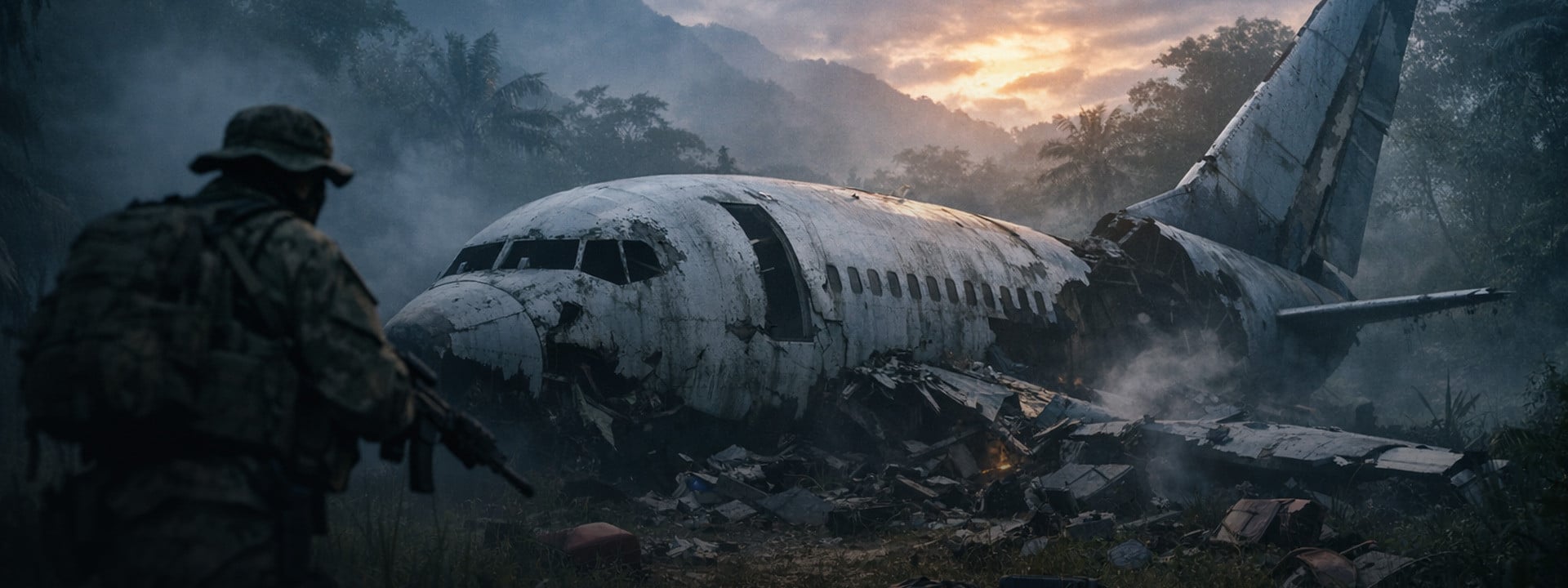
Community task records identify Unlisted Flight as a Gray Zone Warfare Main Task from Lab Rat in Sawmill. Start at the crashed airliner. Continue to the nearby wind turbine, then finish at the locked Sawmill shack. Read each code from its local note during the same attempt.
Players often call Unlisted Flight a mission or quest. GZW's official term is task. This guide covers the empty recorder compartment and both code sources. It also covers the turbine laptop, Black Box Note, extraction, and failure states.
Verification status: Official patch notes showed Hotfix 0.4.7.1 as live on July 29, 2026, two days after Patch 0.4.7.0 on July 27. MADFINGER's task-system guide supplies the general rules. Route details remain provisional. ArmadaBoost hasn't confirmed the interactions, rewards, failure timing, or squad eligibility in two current-patch runs.
Gray Zone Warfare task service 🚀
This walkthrough is written to be run solo. If you would rather have the objective cleared for you, ArmadaBoost's Gray Zone Warfare quests service covers GZW tasks, with the method and account rules stated up front.
Official means MADFINGER Games published the rule. Reported means media or community records agree. Pending means ArmadaBoost still needs current-patch proof.
Field | Current guidance | Status |
Task giver | Lab Rat | Reported |
Task type | Main Task | Reported |
Region | Sawmill | Reported |
Three-area route | Airliner crash, wind turbine, Sawmill | Reported |
Reported crash grid | 148, 135, near Echo 1 | Pending original 0.4.7.1 map capture |
Reported turbine grid | 147, 136 | Pending original 0.4.7.1 map capture |
Failure | Death is reported to wipe the attempt's progress | Official system rule; task-specific proof pending |
Codes | Read both local notes during the current attempt | Reported; exact rotation behavior pending |
Reward and next task | Exact values are provisional | Pending 0.4.7.1 completion screen |
For the wider game loop, modes, and Lamang context, read ArmadaBoost's Gray Zone Warfare overview. This walkthrough covers only Unlisted Flight.
📍 Where Is the Unlisted Flight Objective?
Community records place Unlisted Flight in three areas. Start at the airliner crash northwest of Sawmill. Continue to a nearby wind turbine. Finish at the Sawmill office and log-storage shack. The live Tactical Map should show an approximate objective area after the task is accepted. Our Lamang island map guide covers the Sawmill region, its landing zones and how the grid references below are read.
Area | What you are looking for | Reported position |
1. Crash site | Empty flight-recorder compartment, passenger casualties, luggage or findings, and Scavenger's Notes | Grid 148, 135, close to Echo 1 |
2. Wind turbine | Local code, generator, keypad, and laptop with CCTV data | Grid 147, 136 |
3. Sawmill | Second local code, locked shack, and Black Box Note | Office and log-storage area inside Sawmill |
Don't confuse Unlisted Flight with Last Flight. Last Flight uses a separate aircraft near Pha Lang Airfield. The wrong guide can send you to another region.
The aircraft identifier also needs a live check. The community wiki uses ZN209, while two April media versions use NZ209. This guide calls it the crashed airliner until a task-menu screenshot settles the spelling.
An April 2026 Games.gg walkthrough supplies the candidate grids and sequence used below. Its near-identical DualShockers version isn't independent confirmation. The unofficial GZW Tac Map record lists six candidate objects, but it doesn't prove a 0.4.7.1 route.
Does the Tactical Map Show the Exact Interaction?
No. The official Spearhead task-system overview says the Tactical Map shows approximate objective locations. The marker can take you to the correct area. It won't identify the exact compartment, body, suitcase pile, note, keypad, or laptop.
📋 What Are the Current Prerequisites?
You need three things: the task in Lab Rat's pool, Sawmill access, and any requirements shown in the live panel. No official source reviewed publishes an exact Unlisted Flight reputation threshold or named prior task.
Update 0.4 unlocks regional tasks through progression and vendor reputation. It also keeps a set of assignments available across the map. That means an absent Unlisted Flight offer can have several causes.
Check these before deploying.
- Confirm that the client shows version 0.4.7.1 or later.
- Confirm that Lab Rat and the Sawmill region are unlocked.
- Read the live prerequisite and task-state icons.
- Accept Unlisted Flight before interacting with any objective.
- Note whether it's a first completion, repeat, or returned task.
- Record any survival icon or failure warning shown by the task card.
- Leave enough inventory space for the run, even though current reports describe interactions rather than a carried flight recorder.
Current media guides say Lab Rat offers this Main Task once the player has enough reputation to reach Sawmill. Treat that as a useful diagnosis, not a verified numerical requirement. If the task is missing, continue eligible progression and check the pool again instead of forcing a reset. Players still working through Update 0.4 progression can follow our beginner guide for patch 0.4.7 first.
🧭 Which Route Runs From the Nearest Landing Zone?
The reported route starts at Echo 1. Move to the crash site at 148, 135, then the turbine at 147, 136. Enter Sawmill after the task updates. Echo 2 is a reported alternate approach. ArmadaBoost hasn't tested these grids or landing-zone choices on 0.4.7.1.
Candidate Route From Echo 1
- Land at Echo 1.
- Move toward the reported crash grid at 148, 135.
- Clear immediate threats before looking at the wreck.
- Complete all four crash-site interactions before leaving.
- Let the task panel update to the wind-turbine stage.
- Move to the reported turbine grid at 147, 136.
- Read the local code before powering the keypad.
- Complete the laptop interaction and wait for the next objective.
- Reassess ammunition, medicine, and extraction before entering Sawmill.
The route becomes more dangerous at Sawmill. Don't label one approach as safe. Enemies, players, weather, time, and server state can change the exposure. Follow the active marker and the conditions in front of you.
Should You Use Echo 2 for Sawmill?
Use Echo 2 only if the live map points you toward Sawmill. An April walkthrough recommends a night approach to the eastern office, but the route isn't official.
🎯 How Do You Complete Each Objective Step?
Complete four crash interactions first. Then use the turbine code and laptop. Finish with the Sawmill code and note. Don't search online for a fixed code. The Games.gg walkthrough and community wiki report server-specific codes. ArmadaBoost hasn't confirmed their rotation behavior.
Step 1: Inspect the Crash Site
Community guides describe four crash-site objectives. Their landmark labels vary.
Objective | Candidate interaction | What to confirm in game |
Flight recorder | Open or empty compartment under the right side of the rear fuselage or tail | The task log should register that the recorder is missing |
Passenger casualties | One of the bodies near the left side of the aircraft nose | The passenger objective should clear |
Current situation | The pile of luggage near the front-right area of the aircraft | The findings or assessment objective should clear |
Crash documents | Scavenger's Notes near the parked vehicles, cooler, lamp, crate, or pickup | Reading the note should clear the document objective |
The flight recorder isn't collected at this stage in the stronger references. You inspect an empty compartment. Several low-detail results wrongly describe this step as a recorder pickup.
The document landmark is the least consistent. One guide places the note beside a lamp on a green cooler behind a gray SUV. A Reddit checklist describes a wooden crate behind a pickup. These may show the same vehicle cluster from different angles. Check both nearby clusters if the note isn't beside the cooler.
Step 2: Send the Wind-Turbine Recordings to Lab Rat

The reported wind-turbine sequence uses a local access code and temporary power.
- Find the red SUV near the two trailers.
- Read the sticky note on the passenger-side window.
- Record the code shown in your current session.
- Move into position between the generator and the keypad trailer.
- Start the generator.
- Enter the code immediately at the keypad.
- Enter the trailer and hold the interaction on the laptop with the blue screen.
- Wait for the task log to confirm that the recordings were sent to Lab Rat.
The Games.gg walkthrough reports a generator window under 30 seconds. ArmadaBoost hasn't timed it on 0.4.7.1. Prepare first, then move promptly without treating 30 seconds as guaranteed.
Step 3: Find the Black Box Note at Sawmill

The final reported sequence uses a separate lock code.
- Enter Sawmill only after the task points there.
- Find the eastern office building and the small room whose entrance faces the river.
- Look for a note on a desk near the window and telephone.
- Record the lock code from that note.
- Follow the dirt road northwest toward the log-storage area.
- Find the small shack with three doors.
- Current guides identify the third door from the left.
- Set the combination on the padlock with the movement controls.
- Open the room and inspect the black box with a note attached on the left.
- Confirm the final objective update before leaving.
Gray Zone Warfare progression support 🚀
Three areas, two local codes and a survival condition make this a long run to repeat after a death. If you want the progression without the retries, browse ArmadaBoost's Gray Zone Warfare services and pick the method that fits your account-risk tolerance. Rated 4.9/5 from more than 4,700 Trustpilot reviews.
You're looking for a Black Box Note, not a carried flight recorder. If the prompt differs, follow the active task text.
🚁 How Do Extraction and Turn-In Work?
After reading the final note, check that every Unlisted Flight objective is complete before extracting or pressing Complete. Patch 0.4.7.0's official changelog records that the Complete button could become inactive after switching between tasks, and lists that issue as fixed. If Complete still stays inactive on the current build, reopen the task panel and reconnect, and avoid switching tasks while the hand-in is pending.
Use this closing sequence:
- Check that the final Sawmill interaction registered.
- Take a screenshot of the completed objective list.
- Use the Complete action if the live task panel enables it.
- If the task directs you back to base, choose the current lower-exposure landing zone and extract.
- Confirm the completion message from Lab Rat.
- Check the locker and vendor reputation for the credited reward.
- Record whether the first-time indicator disappeared.
The 0.4 task system manages assignments through the Tactical Map and sends rewards to the locker. Follow the live interface because the exact Unlisted Flight hand-in state still lacks a current capture.
⚠️ Why Does the Marker or Interaction Fail?
Five states cause most Unlisted Flight failures: the task not being available, the wrong objective, a stale code, death, or a task-interface problem. Check the task state before repeating the whole route.
Symptom | Likely state | What to check |
Task isn't available from Lab Rat | Region, vendor, prerequisite, pool, or temporary failure state | Check progression, Sawmill access, task history, and current available pool |
Marker says Completed but the task isn't done | Interface state | Update the game, reopen the task panel, and reconnect once |
Rear compartment has no prompt | Wrong angle, wrong objective, or interaction issue | Confirm the active recorder objective and scan the underside on the right-rear section |
Crash document doesn't clear | Wrong paper or incomplete read | Check the parked-vehicle cluster and keep the task panel open after reading |
Turbine code fails | Old code, wrong server, no power, or input error | Read the local SUV note again, start the generator, and re-enter the digits |
Laptop has no interaction | Door, power, or objective sequence is incomplete | Confirm the correct trailer, current power, and completed crash stage |
Shack code fails | Turbine code reused, wrong door, or stale Sawmill code | Read the separate office note and verify the reported third door |
Task returned after completion | Intended replayability or a real progression issue | Check the first-time icon, prior reward, completed count, and next-task state |
Progress vanished after death | Reported survival failure | Check the task pool and don't rely on a fixed retry timer |
Complete button is inactive | Known category of task UI issue | Confirm 0.4.7.1, reopen the task details, reconnect, then report the state. The task-switching case was fixed in 0.4.7.0 |
Official task-system notes confirm that most tasks became replayable in 0.4. They also say death fails most applicable tasks and can make them temporarily unavailable. A repeated offer doesn't prove that the first completion was lost.
The official system rule doesn't give one universal retry timer. The community wiki says at least 20 minutes. The Games.gg walkthrough says a couple of days. The claims conflict, so don't treat either wait as exact.
If the problem survives one reconnect, capture the version, mode, server region, faction, active objective, marker, interaction, and task log. Send that evidence through MADFINGER Games support.
🗺️ How Should You Plan the Unlisted Flight Route Before Deploying?
Plan Unlisted Flight as one survival-sensitive route with three evidence checks, two local codes, and a Sawmill decision point. The goal is to reduce backtracking and exposure, not to promise a completion time.
Use this deployment card:
- Patch: confirm 0.4.7.1 or later.
- Task: accept it and record the first-time or repeat state.
- Route: Echo 1, crash, turbine, then Sawmill if the task updates in that order.
- Codes: photograph or write down each local note separately.
- Power: stand ready to move before starting the turbine generator.
- Loadout: carry medicine, usable armor, enough ammunition, and spare inventory space without overloading.
- Sawmill: reassess before committing to the office and shack.
- Squad: share only if the task interface permits it and every member meets the official eligibility rules.
- Survival: for a shareable task with a survival condition, Patch 0.4.5.0 says one squad member's death can fail the group attempt.
- Exit: choose the active extraction route after the last interaction, not before the server state is visible.
None of the reported completions needed task-state workarounds, deliberate death, or a code copied from another server, so try the clean route first.
🎁 What Reward and Next Task Follow?
The exact Unlisted Flight reward and next named task aren't confirmed by an official source or an ArmadaBoost 0.4.7.1 capture. The community wiki lists the provisional values below.
Reward field | Community-listed value | Publication status |
Experience | 900 XP | Pending current reward screen |
Lab Rat reputation, first completion | +750 | Pending current reward screen |
Lab Rat reputation, later completion | +500 | Pending current reward screen |
Money | $2,820 | Pending current reward screen |
Medical items | 1 Small Suture Kit and 1 Medium Blood Bag | Pending current reward screen |
The official system guide says first completions grant more reputation. It also says failure costs 10 percent of the success reputation. The wiki lists a -50 reputation penalty on failure, which is 10 percent of its listed +500 later-completion reward. It doesn't prove how the game calculates a first-attempt failure. Keep all exact Unlisted Flight values provisional.
No official source reviewed names the task that follows Unlisted Flight. Complete the task and check Lab Rat's message. Record the next first-time offer. A repeated Unlisted Flight card may only be another run.
Finish Unlisted Flight the fast way 🚀
The reward screen and the next task only appear once the run is actually completed. If the route keeps failing at Sawmill, ArmadaBoost's Gray Zone Warfare quests service can close it for you.
Use this guide as a field checklist. Confirm each task update before moving on. Keep both local codes until completion. For more self-play planning, open ArmadaBoost's Gray Zone Warfare overview. Keep control of your account.


 Success

 Data
updated
Data
updated