





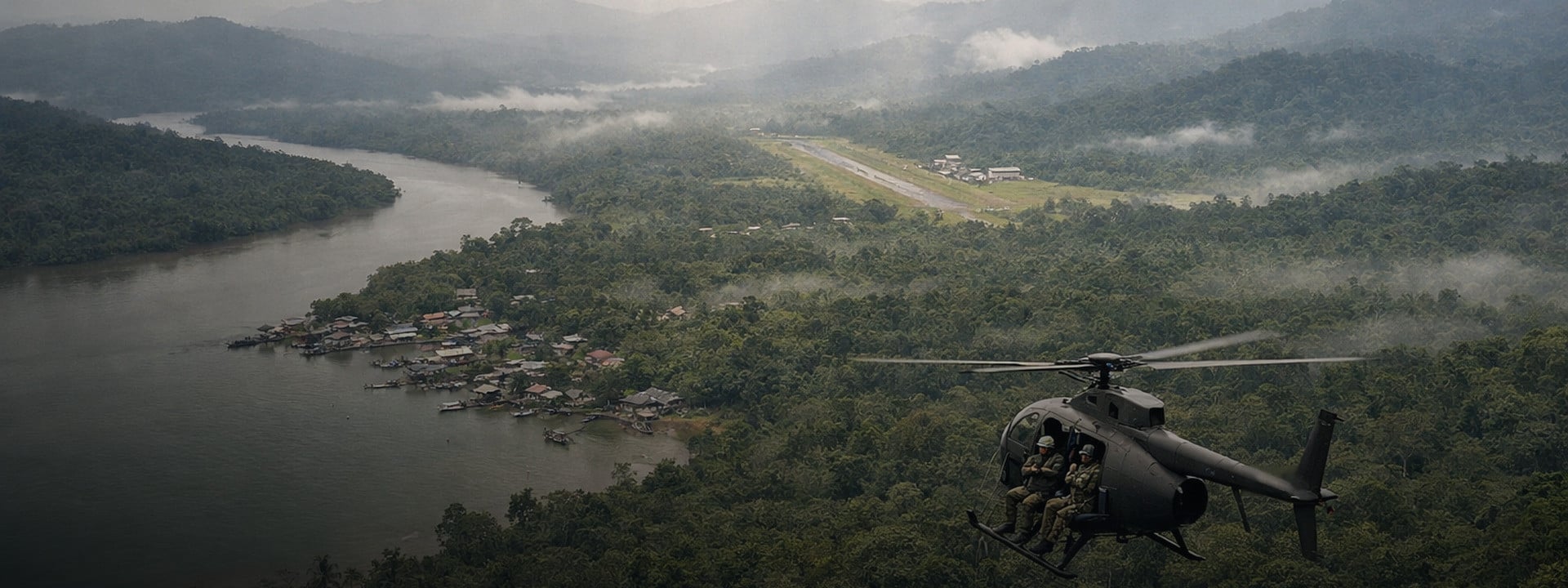
Gray Zone Warfare Map: Lamang Island Locations, POIs and LZs
Quick answer: The Gray Zone Warfare map covers a 42 km2 area of operations on Lamang. Hotfix 0.4.7.1, deployed July 29, 2026, is the current live baseline, checked on August 5, 2026. Use the in-game Tactical Map for your character's available tasks and live account state. If this is your first deployment, start with the Gray Zone Warfare beginner guide. Use this guide to read regions, points of interest, landing zones, keys, Combat Outposts and route context without treating an old community pin as current fact.
Update 0.4, named Spearhead, redesigned the Tactical Map. It divided the playable area into regions, placed available tasks and approximate objective areas on the map, and let players accept those tasks from the same screen. Later patches fixed region hover data, POI labels, player-marker placement, task markers, LZ positions and flight paths.
That patch history changes how you should use any map for Gray Zone Warfare. A pin needs a patch label. A landing zone needs faction and access context. A key needs a matching door. A Vulture location needs a timestamp. A route needs a fallback.
You need | Start with | Check before deploying |
|---|---|---|
A named place | Region and POI layer | Current in-game spelling, map type and patch |
A landing zone | Your live Tactical Map | Faction, discovery state and current access |
A task object | Official approximate task area | Task availability, prerequisite and exact-marker evidence |
A locked door | Exact inventory key name | Door match, task relation and tested patch |
A Combat Outpost | COP type and mode | Current control, conflict state and respawn rule |
Vulture | A time-stamped status source | Relevant major COP, faction control and expiry |
A route | Objective plus an accessible LZ | Terrain, live state and alternate extraction |
🧭 How Do Gray Zone Warfare Map Controls and Patch Labels Work?
Every useful marker needs five things: category, source, patch, last checked date and evidence status. The live Tactical Map is the authority for tasks currently available to your account, and Patch 0.4.7.0 changed how you open it: pressing M now opens the map, while holding M opens the minimap. A third-party map can help with retrieval, but it cannot override the live client.
Spearhead changed more than the artwork. The official changelog says the map now shows available tasks with approximate objective areas and supports task acceptance. Patch 0.4.3.0 added richer region information and a separate Long-Term Contract panel. Patch 0.4.4.0 fixed disappearing discovered-POI names, region hover details and player-marker placement. Those fixes prove that even interface-level map data can age.
What does each marker status mean?
Status | Evidence threshold | How to use it |
|---|---|---|
Officially documented | A MADFINGER Games source confirms the name or mechanic | Trust the stated fact, but not an unstated coordinate |
Live-client verified | Two independent testers reproduce the point on the stated patch | Use it within the recorded faction, mode and prerequisite limits |
Community reported | A community source supplies a candidate that has not been independently confirmed | Treat it as a lead, not a confirmed destination |
Live state | The value can change with time, server or control | Check the timestamp and expiry before use |
Retired | Current evidence conflicts with the older record | Do not route to it; read the retirement reason |
Is this a Gray Zone Warfare interactive map?
This guide is not an interactive map. It is a reference you read alongside the in-game Tactical Map: patch-labeled context for the names, layers and checks you need, not a pin set you can copy.
GZW Tac Map, MapGenie, IGN, YouTube videos and other map websites can help you find candidates. Check their update date before copying a location. The official Gray Zone Warfare homepage currently points players to a community-powered tactical map, but a community tool still needs current marker evidence.
One practical tip: an interactive map for Gray Zone Warfare should keep orientation content separate from spoiler-rich task, key and loot layers. That lets you identify a region without exposing every objective.
Why can two coordinates differ?
An in-game grid reference and a third-party map URL can use different coordinate systems. Keep them in separate fields. Do not convert one into the other unless the conversion method has been tested.
Official patch notes sometimes include two-number grid references for fixed world issues. The Patch 0.4.7.0 changelog fixed nine spots where players could get stuck and published a grid reference for eight of them.
Area | Fixed stuck spot | Published grid reference |
|---|---|---|
Blue Lagoon | Kapu Boat Rental building | 209, 122 |
Blue Lagoon | Between a rock and a tree near the Japanese bunker | 203, 121 |
Fort Narith | Between logs at the Xiong Family Farm | 146, 130 |
Sawmill | Between logs and a tree in the Sawmill compound | 138, 143 |
Sawmill | Outdoor area at LLA Camp Seliphab | 129, 151 |
Starter towns | Small gap between rocks near the criminal hideout | None published |
Tiger Bay | Prone after vaulting a fence near the Municipal Office Building | 199, 129 |
YBL-1 | Storage Entrance, could drop players underground | 142, 122 |
YBL-1 | Under a house at Secluded Farm | 169, 130 |
That does not create a full coordinate standard for every fan tool. If two sources disagree, prefer the live client, preserve both raw readings and leave the marker unverified.
🔄 What Did the 0.4.7 Patch Run Change for Map Users?
Patch 0.4.7.0 is a marker-and-world patch, which is exactly the kind that ages a map guide. It landed on July 27, 2026, a server-side fix followed on July 28, and Hotfix 0.4.7.1 closed the run on July 29. Nothing in that set redrew Lamang, but several entries change what a marker means on screen.
- Default map controls changed: press M for the map, hold M for the minimap.
- Task area markers no longer show the status as Completed when they are not.
- The marker for the Voices from the Stars task no longer disappears after you accept it.
- Tutorial waypoints were repaired: the First Recon waypoint now leads to the task item, and combat waypoints survive redeployment.
- Loot and visibility fixes at three named Combat Outposts: Wildcat, Eagle and Winchester.
- World fixes at Midnight Sapphire, the Mithras base camp, YBL-1 and the Wildcat and Eagle Combat Outposts. Those are separate from the nine stuck-spot fixes listed above, which cover Blue Lagoon, Fort Narith, the Sawmill, the starter towns, Tiger Bay and YBL-1.
None of that changes the verification rule in this guide. It changes the patch label. A marker recorded on Patch 0.4.6.0 is not automatically wrong, but its status, control binding and interface behavior were all touched after it was written.
Gray Zone Warfare services 🚀
Reading the map is one job, clearing the objective behind it is another. ArmadaBoost's Gray Zone Warfare services cover tasks, keys and progression on the current patch. Rated 4.9/5 from 4,600+ Trustpilot reviews.
🗺️ Which Lamang Island Regions and Points of Interest Are on the Map?
Lamang's playable area is 42 km2 inside a fictional country whose official lore area is 430 km2. The playable area is divided into regions, with named POIs and smaller locations inside or around them. You can explore regions across the map even when some of that region's tasks are not yet available to you.
How big is the Gray Zone Warfare map?
The official story page gives 42 km2 for the area of operations. It gives 430 km2 for the Democratic Republic of Lamang as a whole. The figures describe different entities, so a guide should not call the playable map 430 km2.
Spearhead added more than 25 locations, rebuilt existing locations and added smaller biomes such as burned forest, bamboo forest and swamp areas. The same update split hostile AI across seven factions with different appearances, gear, weapon types and difficulty profiles. That does not make a POI's threat fixed. AI, other players, weather and current tasks still affect an approach.
What is the difference between a region and a POI?
A region is a progression and map grouping. A point of interest is a named destination inside the playable world. An LZ is a transport point. A COP is a capturable facility. A task object can be a room, item or interaction inside a larger place.
Use this hierarchy:
- Lamang
- Area of operations
- Region
- POI
- Named sub-location or building
- Room, door or task object
Mixing these levels makes route instructions hard to follow. "Go to Tiger Bay" is a POI-level direction. A task may still require a named building, floor and object.
Which official place names should you recognize?
Current official patch sources name the places below. For each one the only confirmed fact is that the live game still uses the place name. This is a recognition list, not a complete region inventory. It does not publish a fixed region list, because region names and boundaries are read off the live Tactical Map, which is the only source that reflects your own character's discovery state. The column below lists every Patch 0.4.x changelog in which MADFINGER names that place, so you can check any row against the official notes yourself. Exact boundaries, coordinates and route claims still need a current live-client check.
Official place name | Official source context |
|---|---|
Tiger Bay | Named in the patch 0.4.2.0, 0.4.3.0, 0.4.4.0, 0.4.5.0 and 0.4.7.0 notes |
Fort Narith | Named in the patch 0.4.2.0, 0.4.4.0 and 0.4.7.0 notes |
Midnight Sapphire | Named in the patch 0.4.2.0, 0.4.3.0, 0.4.4.0 and 0.4.7.0 notes |
Hunter's Paradise | Named in the patch 0.4.2.0 and 0.4.5.0 notes |
Sawmill | Named in the patch 0.4.2.0, 0.4.4.0, 0.4.5.0 and 0.4.7.0 notes |
Ban Pa | Named in the patch 0.4.2.0, 0.4.3.0 and 0.4.5.0 notes |
Blue Lagoon | Named in the patch 0.4.2.0, 0.4.4.0, 0.4.5.0 and 0.4.7.0 notes |
YBL-1 | Named in the patch 0.4.2.0, 0.4.3.0, 0.4.5.0 and 0.4.7.0 notes |
Pha Lang Airfield | Named in the patch 0.4.2.0 and 0.4.5.0 notes |
UNLRA Headquarters | Named in the patch 0.4.3.0 and 0.4.6.0 notes |
An old guide may still use a valid place name while showing stale terrain, labels, loot or routes. Check the patch for the specific attribute you need.
Does the map cover Ground Zero radiation and mines?
Official Patch 0.1.2 notes identify Ground Zero as a deadly radiation area. A current map should show a hazard boundary only after a live-client test. The official hazard statement does not verify a pixel-perfect border.
No first-party source currently documents a complete minefield layer, so this guide does not show one. Treat any mine marker from a community map as a candidate until it has a current patch, source and live evidence.
🚁 Where Are Gray Zone Warfare Landing Zones by Faction?

Your current faction-by-LZ answer is in the live Tactical Map. The official mission guide says you must discover an LZ before selecting it for Little Bird travel. If discovery and Little Bird travel are still new to you, the beginner guide for patch 0.4.7 walks through both. If a website shows an LZ that your character cannot use, check discovery, faction, region and task state before assuming the game is wrong.
There is no confirmed faction-by-LZ matrix yet. No official source publishes a complete one, so check the live Tactical Map for what your own character can actually select.
Why is an LZ missing or unavailable?
Check the conditions in this order:
- Open the current in-game Tactical Map.
- Confirm that the LZ appears for your character.
- Check whether you have physically discovered it.
- Confirm that the guide refers to your faction and game mode.
- Check the relevant region, task and vendor prerequisites.
- Compare the guide's patch label with the live client.
- If the live map and guide disagree, use the live map and report the stale guide row.
Patch 0.4.5.0 shows why the date matters. MADFINGER Games fixed helicopters clipping through trees on the run from the Lamang Recovery Initiative (LRI) base camp to Oscar 2, moved the Hotel 2 landing zone away from an area with AI, and corrected an area south of Lima 2 that was named incorrectly. LRI is one of the player factions; the UNLRA in the place-name table above is the United Nations Lamang Relief Agency, a different in-world organization. Those notes confirm the names and changes. They do not prove that every faction can use each LZ.
Is the closest LZ always the best choice?
No. The official mission overview says the Little Bird can be seen from far away and that a longer walk may be the better plan. Treat the nearest LZ as one option, not the automatic answer.
Compare:
- Whether the LZ is accessible to your current character
- The objective side of the POI
- Open ground, water, slopes and jungle paths
- Weather and visibility
- Nearby COP or conflict state in Warfare
- One alternate LZ for extraction
Do not call an approach safe. A marker cannot predict enemy movement, player activity or changing weather.
📋 How Do You Filter Task Locations?
Filter a task by account state before you search for its exact object. Check task type, region, vendor, prerequisite, current availability and squad-sharing status. The official Tactical Map shows approximate areas for available tasks, not a promise that every objective is a permanent exact pin.
Update 0.4 separates Main Tasks, Side Tasks and Contracts. Patch 0.4.3.0 added 48 Long-Term Contracts in their own Tactical Map panel. A follow-up hotfix, 0.4.3.1, fixed a bug that let players exceed the intended limit of five available contracts and reset the excess. Region discovery affects Long-Term Contract availability.
Why is a task missing from the map?
Use this sequence:
- Is the task available to this account?
- Regular task or Long-Term Contract?
- Is the region discovered?
- Are the vendor and prerequisites met?
- Solo task or a selected shared task?
- Approximate area or verified object?
Patch 0.4.5.0 added sharing for selected squad tasks. To receive one, a squad member must:
- be on the same server;
- have the region and vendor available;
- meet the prerequisites;
- join before the task is already in progress.
Long-Term Contracts, boss-kill tasks and Starter Town tasks are excluded, along with several other categories. Another player can therefore see or share an objective that your account cannot.
What is the difference between a task area and an exact object?
An official task area narrows the search. An exact object tells you which room, table, device or item completes the step. Do not convert the first into the second without evidence.
A verified task record should include:
Field | Why it matters |
|---|---|
Exact task name and type | Prevents mixing similar missions |
Vendor, region and prerequisites | Explains account availability |
Approximate or exact precision | Sets the reader's expectation |
Source and patch | Shows where the claim came from |
Original screenshots | Connects map context to the ground-level object |
Dedicated guide | Keeps full walkthrough steps off the map hub |
Gray Zone Warfare quests service 🚀
If you want hands-on help after checking the live task state, you can get the objective cleared for you through ArmadaBoost's Gray Zone Warfare quests service. Review the service method and the game's current rules before ordering.
🔑 How Do You Match Keys to Locked Doors?
Match the exact in-game key name to one door or lock context, then add its building, POI, related task, patch and evidence status. Keep a key's possible spawn context separate from the door it opens. A correct door match does not prove one permanent spawn.
This section refers to in-game door keys, not Steam product keys.
What should a key record include?
Key field | Required value |
|---|---|
Identity | Exact inventory name plus any abbreviation |
Door relation | Exact room, door or lock context |
Spatial context | Building, POI and region |
Task relation | Required, optional or unrelated |
Access method | Key, keypad, access card, padlock or another confirmed method |
Evidence | Source, patch, test count and original image |
Status | Officially documented, live-client verified, community reported or retired |
Night Ops development notes said important keys were moved toward logical spawn areas and made less dependent on random enemy drops. Update 0.3 added keypads, padlocks, access cards and safe locks. Spearhead later made most locked doors breachable from the inside, and "most" is not "all".
Do not tell a player to bypass a door unless the specific current door has been tested. Patch 0.4.7.0 is the proof: it fixed a code-protected door in YBL-1 that could be kicked open without entering the code, so a bypass that worked last month can be patched out this month.
Why is a key spawn different from a door match?
A key-door relation can remain correct while a spawn rule changes. A patch can move a drop, require an active task or fix a lock. Community discussions about Update 0.4 also disagree on whether every task key is visible without the relevant task active. Record the uncertainty instead of merging it into a fixed pin.
For direct help obtaining a specific in-game key, you can have the key handled for you through ArmadaBoost's Gray Zone Warfare keys service. Check the order method, account-handling details and current Terms of Service risk before purchase.
🏴 Where Are Combat Outposts and Vulture Markers?

Combat Outpost positions are structural map data. Their control, conflict state and Vulture access can change. Official sources described 36 COPs, split between minor and major types with stronger resistance at major outposts, when combat outposts were announced for Update 0.3, Winds of War in an April 2025 devlog. That update went live on May 22, 2025. No official recount has been published since Spearhead rebuilt the island, so treat the number as the last documented figure rather than a current one. Patch 0.4.5.0 set the current COP rules in its changelog.
In Joint Operations, the PvE mode, captured COPs can function as shared faction-access facilities. In Warfare, the PvEvP and PvP rules let factions fight for control. Patch 0.4.5.0 added a 30-minute recapture cooldown, set a conflict-zone diameter of 400 meters and stopped players killed inside a conflict zone from respawning at the nearest COP.
How does Vulture's rotation work?
Official sources say two selected major COPs provide access to Vulture at a time. The same MADFINGER devlog states that the selected pair is identical across all servers and rotates periodically. Which two are active right now is community reporting, not a MADFINGER statement. Vulture is not based at the main base camp, and your faction must hold a relevant major COP for access.
No official source names the current pair or publishes a fixed reset schedule.
Vulture status field | Current status |
|---|---|
Active COP pair | Not confirmed by an official current-status source |
Official mechanic | Available at two selected major COPs at a time |
Community reported | Same pair across servers, rotating periodically, not stated by MADFINGER |
Access condition | Relevant COP held by the player's faction |
Checked | August 5, 2026 |
Expiry | No verified window available |
Reader action | Check current in-game COP state before travel |
A community tracker such as Where Is Vulture can provide a current lead. Treat it as community reported until the relevant COP and access state match your live game.
Why can a COP marker be right while its status is wrong?
Patch 0.4.7.0 shows how far that goes: it removed a double random-loot spawn at the Wildcat COP, corrected a misplaced loot point at the Eagle COP, and stopped players being visible through a closed window at the Winchester COP from long range. The outpost's position can stay fixed while its faction control changes. A conflict zone is temporary. Vulture availability rotates. Store those as separate attributes instead of replacing one static pin with a single "current" label.
🛣️ How Should You Turn a Map Marker Into a Practical Route?
Start with the objective, then shortlist the LZs your character can actually reach, not just the closest pin. Add account prerequisites, terrain, live conditions, a second extraction option and a current patch label. A route card should support a decision. It cannot guarantee the outcome.
What should a route card record?
- Goal: Name the region, POI, door, task area or COP.
- Eligibility: Confirm faction, mode, region, vendor, task and LZ access.
- Insertion: Choose one accessible LZ, then compare an alternate.
- Terrain: Record verified water, slopes, open ground, vegetation and decision landmarks.
- Live state: Check weather, COP control, conflict zones and Vulture state where relevant.
- Egress: Set a primary and alternate extraction.
- Freshness: Record patch, UTC check time, tester count and evidence level.
Why is the nearest marker not always the best route?
The Little Bird advertises an arrival. Terrain can slow a direct line. Weather can reduce visibility or flood fields. A key or task prerequisite can block the final step. Warfare can place a route near an active PvP conflict zone.
Use a route worksheet before you deploy:
Route decision | Record this |
|---|---|
Objective | Exact entity and evidence status |
Eligibility | Faction, mode, region, vendor, task and LZ access |
Primary LZ | Nearest accessible option on the live map |
Alternate LZ | A second current option |
Approach | Verified terrain and visual landmarks |
Task or key gate | Required objective state or door access |
Live check | Weather, COP control, conflict zone and server state |
Return | Primary and alternate extraction |
Freshness | Patch label, UTC check time, tester count and evidence level |
The Spearhead update changed terrain, vegetation, POIs and jungle paths. Patch 0.4.5.0 changed an LZ position and a flight path. A route from an older guide can use a real place name and still be wrong on the ground.
🔍 How Are Map Markers Verified?
A publishable marker needs an identity, coordinate system, source, patch and status. A task-critical coordinate needs two independent reproductions plus original wide, zoomed and ground-level images. Live-state markers need a timestamp and expiry.
What counts as a verified marker?
"Officially documented" means a first-party source supports the stated name or mechanic. It does not mean ArmadaBoost reproduced the exact pin.
"Live-client verified" means two testers independently reached the same published grid reference on the stated patch, under recorded conditions, and stored original evidence.
"Community reported" means the candidate came from a forum, map, video or other community source and has not passed that test. It stays visible only if the label prevents confusion.
The two-person verification process
- Create a clean candidate record with no route conclusion.
- Tester A records patch, faction, mode, prerequisite state, in-game grid and UTC.
- Tester B repeats the check without Tester A's route notes.
- Each tester captures a wide map view, zoomed marker view and ground-level landmark.
- Compare the readings in the same coordinate system.
- Publish at the precision where both readings match. A mismatch of one displayed grid cell fails the published coordinate at that precision.
- Keep disputed points as community reported and document the conflict.
- Retest after a relevant map, task, key, LZ, COP or terrain patch.
How are old markers retired?
Do not delete a bad marker without a trace. Record the marker ID, triggering patch, retirement date, reason and replacement if one exists. That change log helps readers understand why a screenshot, video or old website now disagrees with the live map.
If the guide and your live client disagree, use the live client. Report the guide row with its patch, faction, mode and an original screenshot. Do not send account credentials or private information.
Need help with a Gray Zone Warfare objective?
Gray Zone Warfare progression support 🚀
Select a current marker, confirm its evidence status, then open the matching task or system guide. If you would rather get hands-on progression support, browse ArmadaBoost's Gray Zone Warfare services. Choose a method that fits the game's current rules and your account-risk tolerance.
Gray Zone Warfare and its related marks belong to MADFINGER Games. ArmadaBoost is not affiliated with or endorsed by the developer. Game rules, map data and service availability can change.



 Success

 Data
updated
Data
updated